 Credit: Lucas Gouveia / Android Police | Ou Dalin / Shutterstock
 By
Ben Khalesi
Published 1 hour ago
By
Ben Khalesi
Published 1 hour ago
Ben Khalesi covers the intersection of artificial intelligence and everyday tech at Android Police. With a background in AI and data science, he enjoys making technical topics approachable for those who don’t live and breathe code. Ben is currently based in Sydney and has four years of professional writing experience across technology and digital industries. Outside work, he enjoys traveling, bouldering, and playing the latest AAA games.
Sign in to your Android Police account Summary Generate a summary of this story follow Follow followed Followed Like Like Thread Log in Here is a fact-based summary of the story contents: Try something different: Show me the facts Explain it like I’m 5 Give me a lighthearted recapI was feeling stuck in my career and desperate for direction.
I had a background in tech support and part-time tutoring, but none of my experiences felt connected to an obvious next step.
Then I heard about Career Dreamer. The tool is designed to leverage generative AI and labor market data (from providers like Lightcast and the US Bureau of Labor Statistics) to identify your unique skills and suggest suitable roles.
Intrigued, I decided to try it and see if it could really help me. Here's what happened.
When your experience doesn't translate to modern job markets
 Credit: Lucas Gouveia / Android Police | media-ja / Shutterstock
If you want to know why I ended up asking an experimental AI for life advice, you first need to understand something I call the discovery gap.
Most of us aren't great at recognizing our own strengths. And even when we can name them, we have no idea what they're actually worth in today's job market.
Take a teacher who wants to move on from the classroom. In her mind, she's a high school teacher. But the corporate world doesn't hire her for that title. It is hiring a corporate trainer.
She probably already has the core skills like curriculum design, stakeholder management, conflict resolution, and performance analysis, but she hasn't learned how to put them into the right language yet.
So she types education jobs into a job board and finds nothing useful. The algorithm feeds her more teaching roles. It's a semantic prison. This is exactly the problem Career Dreamer tries to fix.
Career coaching used to be something you only got through paid coaching or exclusive programs.
Google has opened that door to everyone by offering a free, Gemini-powered tool. Google breaks your career into its core skills and then rebuilds it into new possibilities.
Career Dreamer removes the intimidation of starting from nothing
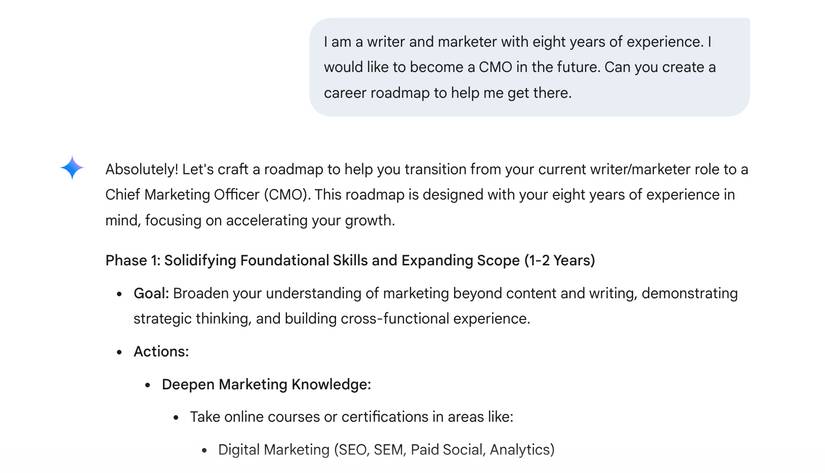
Few things are more intimidating than a blank "Tell us about yourself" box. It freezes you on the spot. You're caught between wanting to be humble and trying not to sound like a self-promoting robot.
Career Dreamer avoids that by giving you an interface that feels like a casual chat.
I opened the site, and it greeted me with a clean, friendly layout that made it easy to begin. You answer a few questions regarding your work history and education.
However, I found that the tool gets better the more you feed into it. So list everything, even the small skills or early interests you might think don't count.
My advice is to include it all, even the little skills or early interests you'd normally overlook.
For example, if you've ever been curious about graphic design and taken a course, add it, even if you've never used it at work.
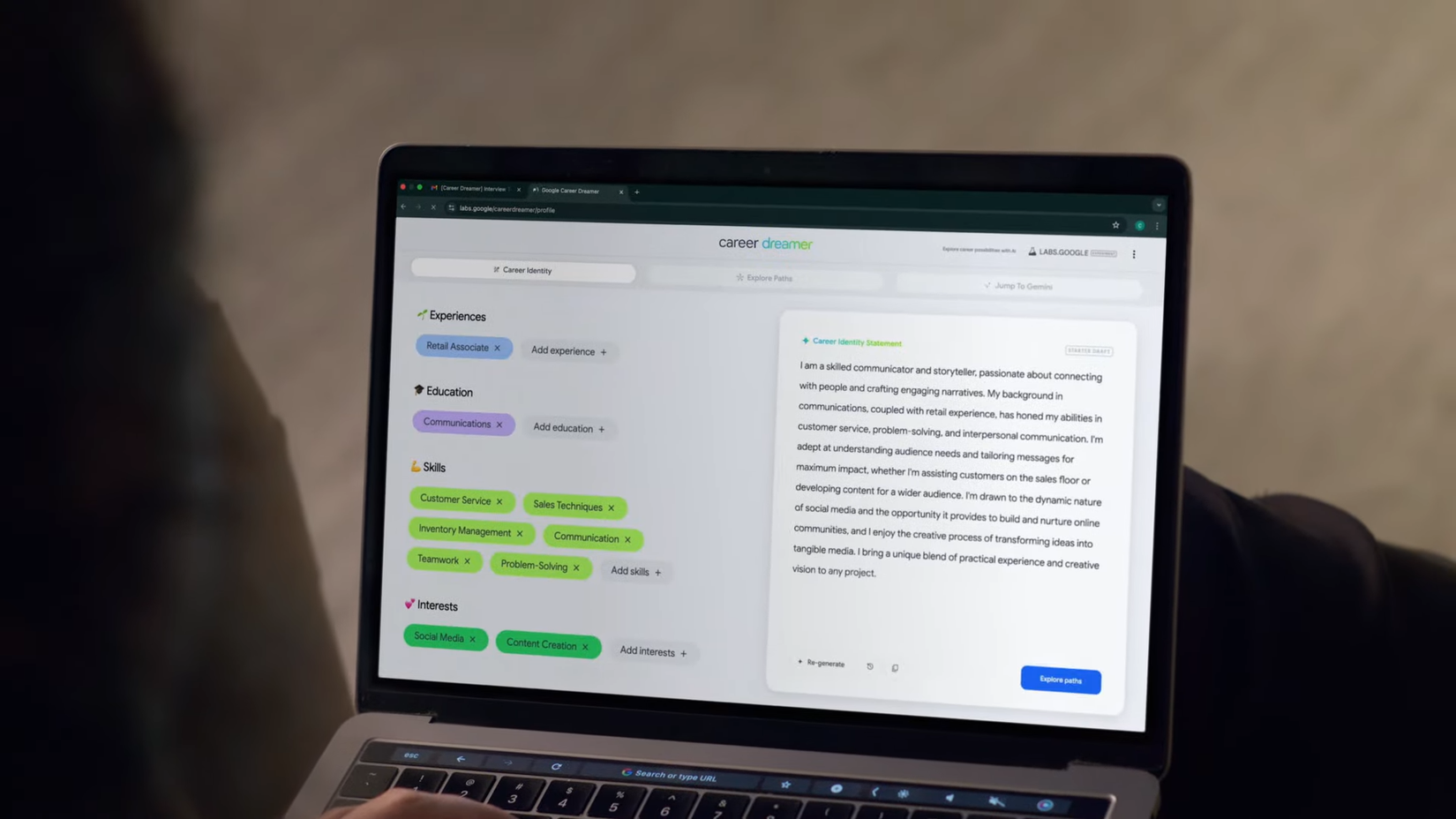
After I filled everything in, I tapped the button to build my profile, and then my Career Identity Statement appeared.
I wasn't satisfied with the first draft, so I tapped Regenerate. That loop repeated as I adjusted my skills, refining things until I was happy with the final version.
Seeing new career paths through an interactive visual map
 Credit: Google
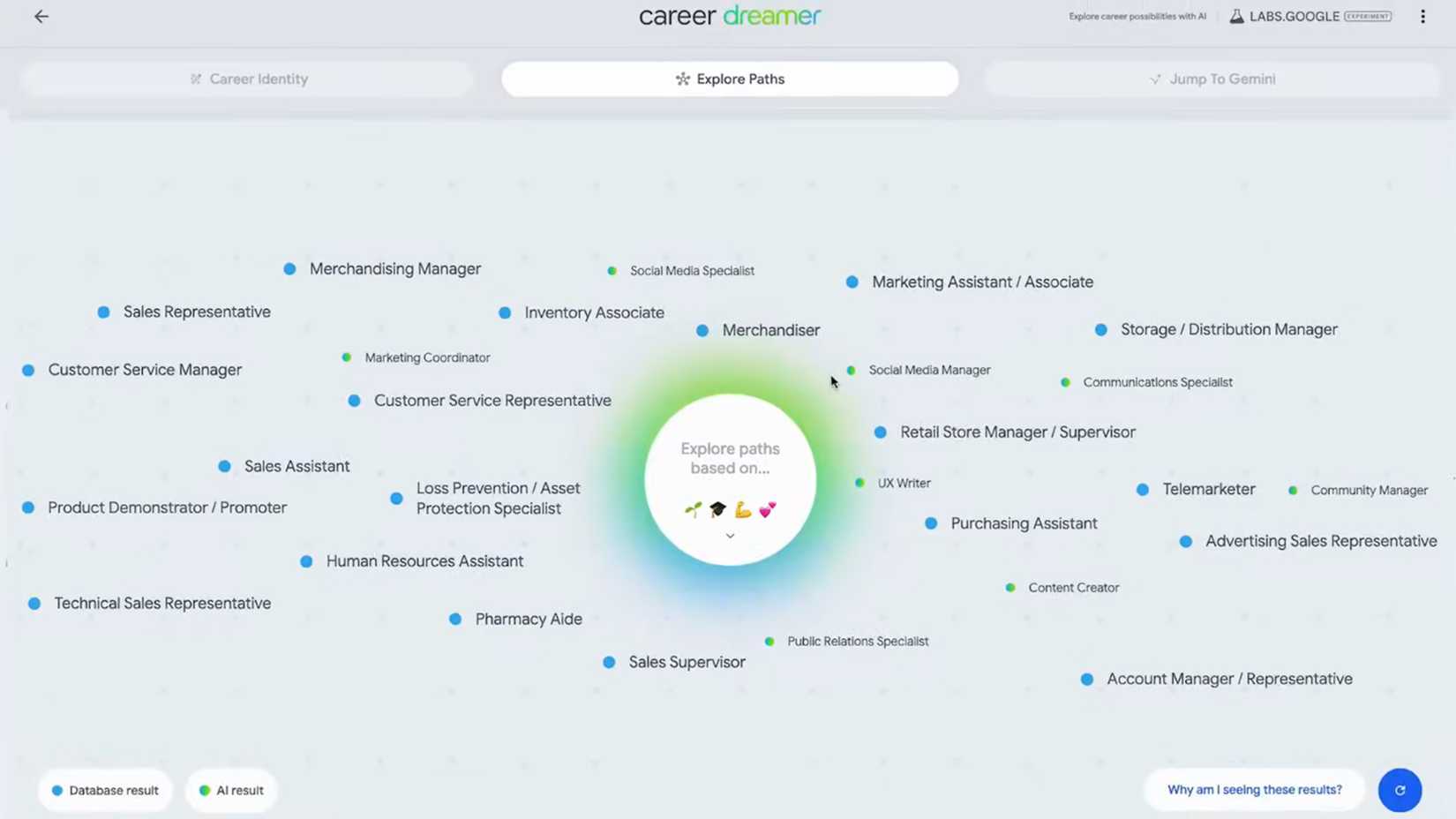
After I was done with my statement, I clicked Explore Paths, and the interface turned into a visual map. In the center was a node labeled Me, surrounded by floating bubbles, each one a possible role.
I hovered over the bubbles and saw a mix of the obvious, the intriguing, and the downright weird. Then I spotted a control panel at the bottom labeled Explore paths based on where I could toggle different inputs like experiences, education, skills, and interests.
The tool invites serendipity into career planning. Sometimes, that can feel like a hallucination. However, the visual web also shows how far each role is from the skills you currently have.
The major limitations that hold Career Dreamer back
 Credit: Lucas Gouveia / Android Police
I spent a good amount of time building my profile, exploring the web of possibilities, and drafting my materials. When I was ready to apply, I looked for the Apply button. But it wasn't there.
This is Career Dreamer's fatal flaw, or maybe its intentional design. It doesn't connect you to actual job listings. Unlike LinkedIn or Indeed, which are built to fill real vacancies, Career Dreamer exists more in the abstract.
There is a find nearby jobs button, but all it really does is dump you onto a plain search page instead of any kind of actual job hub.
Moreover, Career Dreamer is tied closely to the American job market. Someone in London or Mumbai would probably find the job codes confusing.
Right now, Career Dreamer is only available to users in the United States. I only managed to use it via a VPN. Google hasn't said when (or if) it will expand globally.
If Google plans to make this a major resource, it will need a worldwide rollout. But as an experiment, it may or may not stick around if it doesn't find a large user base.
What Gemini adds that Career Dreamer can't do on its own
 Credit: Google
I was pleasantly surprised by the Gemini integration.
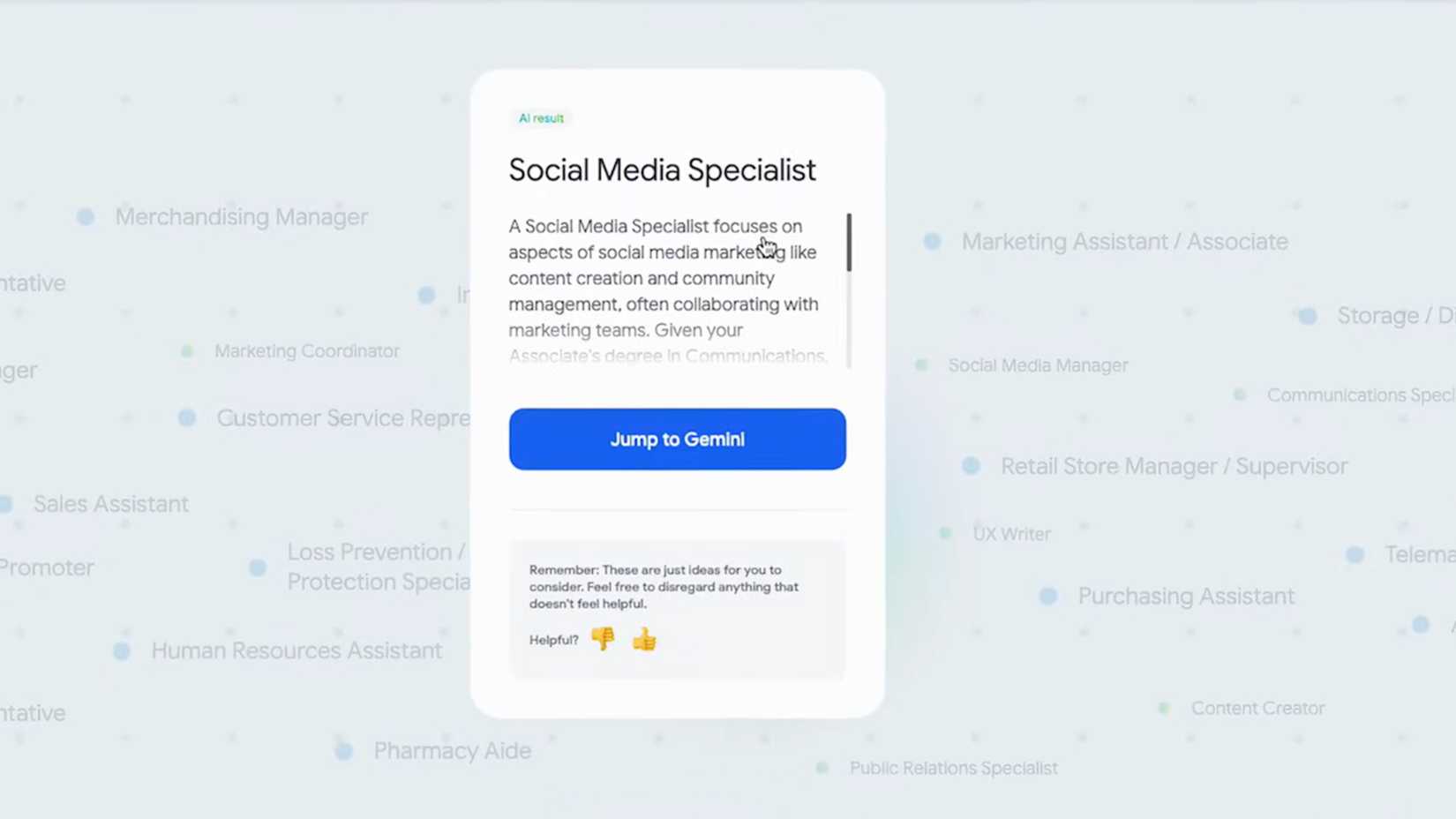
With Career Dreamer, you can click a button and pass your new Career Identity Statement to Google's AI assistant to draft a cover letter or tailor your resume.
This saves a ton of time. I've been using Gemini manually for resume and cover letter tweaks before, but Dreamer speeds up the whole process. You could say Dreamer sparks the ideas, and Gemini adds the polish.
However, if you want to get the job, don't rely on generic AI outputs. Everyone's using these tools, so resumes and cover letters often sound the same.
If you want to catch an employer's eye, get creative with your Gemini prompts. Give detailed, personalized input so your application stands out from the pack.
My honest take on whether the tool is worth your time
 Credit: Google
After my 15-minute experiment, what's the bottom line? I'd say Career Dreamer is a worthwhile snack, not a full dinner.
I came away with a career identity statement, a list of interesting job titles I hadn't considered, and a sense of which skills to highlight.
If nothing else, it reframed my resume and showed me that my random experiences actually tie together. It didn't magically solve my job search, but it made me feel more prepared to pivot.
Would I recommend it? Yes, with caveats. It's great for career changers, recent grads, or anyone feeling lost who needs ideas and self-reflection. The tool is free, fast, and user-friendly.
A college student or mid-career professional looking for direction could benefit from the quick insights it provides. However, if you're already locked into a specific role and ready to apply to openings, it won't find you jobs on its own.
Career Dreamer feels like a preview of the future
Looking forward, I think Career Dreamer is just the beginning of a bigger revolution in career advice. The concept feels promising.
Imagine an AI that analyzes your skills and then recommends the best open jobs worldwide, relevant training programs, and local networking opportunities.
Google has the data to do this, so hopefully Dreamer's future versions will better integrate job listings and global markets.
For now, it still needs work — especially for users outside the US — to grow from an experiment into a must-have career resource. The experiment is off to a solid start, but I'm eager to see how it grows.
Follow Followed Like Share Facebook X WhatsApp Threads Bluesky LinkedIn Reddit Flipboard Copy link Email Close Thread Sign in to your Android Police accountWe want to hear from you! Share your opinions in the thread below and remember to keep it respectful.
Be the first to post Images Attachment(s) Please respect our community guidelines. No links, inappropriate language, or spam.Your comment has not been saved
Send confirmation emailThis thread is open for discussion.
Be the first to post your thoughts.
- Terms
- Privacy
- Feedback
 2 days ago
Digital fatigue is real, but the Kobo Libra Colour helped me restore balance
 3 days ago
Follow up questions on Circle to Search now default to AI Mode
 3 days ago
This is the Google TV streaming device that costs just $9
 2 days ago
Most Galaxy users don't use AI photo editing features
More from our brands

Google AI Mode Is Coming: Here's How It Replaces Google Search
I built one ChatGPT prompt that works for absolutely any scenario

Google’s latest Lab experiment is NotebookLM but better
I Tested ChatGPT vs. Gemini for Studying—One Was Miles Better

Until NotebookLM, I never believed AI could be this game-changing for productivity


This is how I do a reverse image search from my phone or PC

Google’s AI Studio Wasn’t Built for Learning—but It’s the Best Tutor I’ve Ever Used
Trending Now Quick Share and AirDrop finally talk — now it's time Apple and Google break these walls
 I finally found the best journal app on Android after years of switching back and forth
 The Pixel 10 Pro Fold just replaced half my tech setup and fits in my pocket