 Source: Lucas Gouveia/Android Police
 By
Chethan Rao
Published 10 minutes ago
By
Chethan Rao
Published 10 minutes ago
Chethan is a reporter at Android Police, focusing on the weekend news coverage for the site. He has covered tech for over a decade with multiple publications, including the likes of Times Internet, Guiding Tech, and Android Headlines, to name a few. Chethan's love for Android dates back to the days of the Samsung/Google Nexus S, with his first Android phone being the HTC Desire HD back in 2010. Away from work, he's on the lookout for live cricket streams or NBA highlights. He also enjoys the occasional hour or two of console/mobile gaming whenever time permits.
Sign in to your Android Police account Summary Generate a summary of this story follow Follow followed Followed Like Like Thread Log in Here is a fact-based summary of the story contents: Try something different: Show me the facts Explain it like I’m 5 Give me a lighthearted recapIt's been known for a while that Gemini will replace Google Assistant everywhere, and the transition has slowly begun. We've already seen the switch happen (in part) for Google's smart speakers and displays, and more recently across Android Auto.
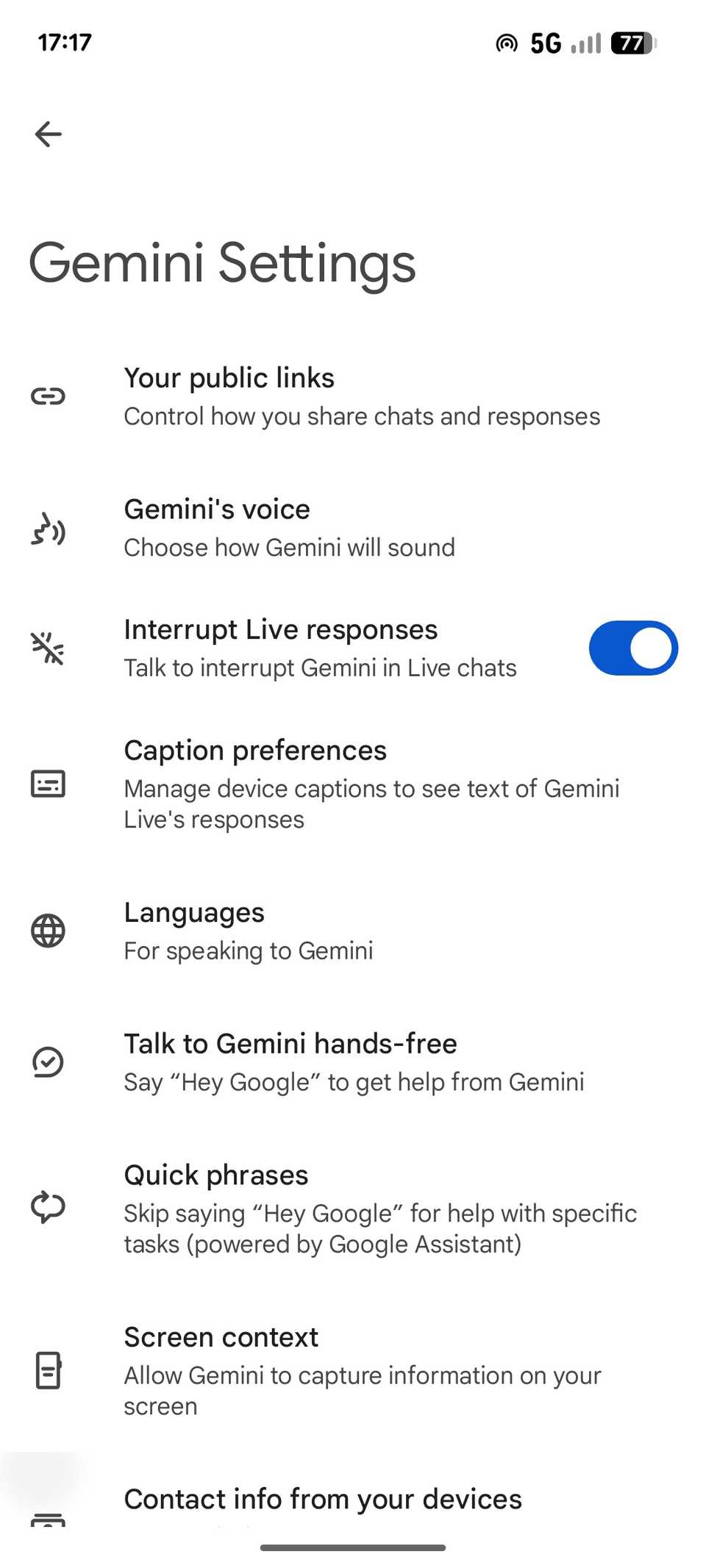
As of today, we've learned that March 2026 may be when Assistant ceases to exist, and we're now seeing new reporting that shows early signs of that change happening in the Google app. Looking at code within the Google app (version 16.46.61), Android Authority uncovered changes to the "Hey Google" & Voice Match page in the Gemini app's settings (also available from the Google app's Settings page).
 Credit: Android Authority
 Credit: Android AuthorityClose
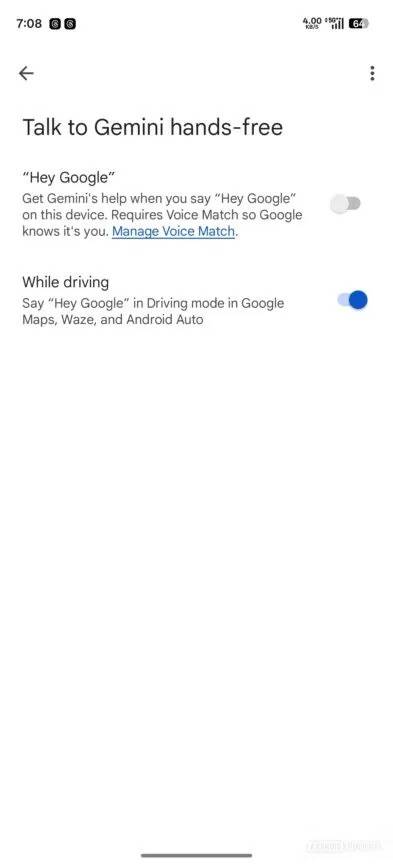
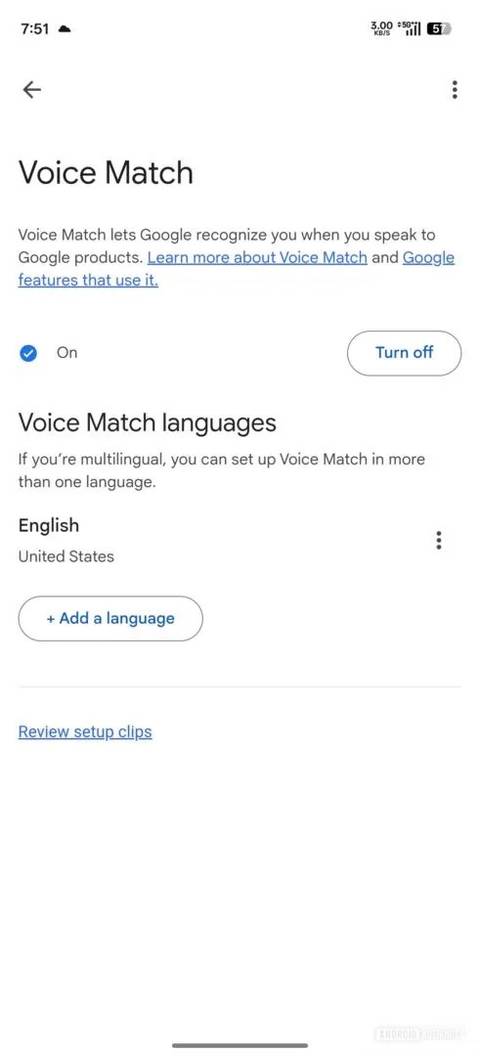
In addition to renaming this page to "Talk to Gemini hands-free", Google is also adding a new Manage Voice Match hyperlink within the "Hey Google" toggle (second screenshot above), which gives users the ability to set up or turn off Voice Match. This page also has the option to "set up Voice Match in more than one language" for multilingual speakers (screenshot three).
The rebranding is partially live already
As the screenshots above illustrate, the Voice Match setup process will receive a Gemini-themed glow-up, with new animations and details on how it delivers "improved speech recognition in noisy areas." The sample sentences users are required to speak during the Voice Match setup ("Ok Google, help me write a thank you note," among others) appear to be unchanged from the current Assistant-based Voice Match interface.
While I'm seeing the new Talk to Gemini hands-free page among the list of items in the Gemini app's Settings page (Google app v16.45.62), the page itself is still named "Hey Google" & Voice Match. This suggests the transition will happen gradually, though it's still somewhat strange to see the updated branding not appearing consistently.
Similarly, the Voice Match setup flow is also unchanged on my device, though thanks to Android Authority's early preview, we now have a good idea of what to expect in this regard. All of this indicates that Google is nearing the stage where Assistant can finally make way for Gemini across its core apps, but we still don't know when that transition will actually occur.
While March 2026 has been mentioned as the timeframe in a support document, no specific date is provided. So it's unclear whether Google will make these changes in the near future or closer to March next year. In any case, we're glad to know the day is now close, something we've known for several months now.
-
 Applications
We want to hear from you! Share your opinions in the thread below and remember to keep it respectful.
Be the first to post Images Attachment(s) Please respect our community guidelines. No links, inappropriate language, or spam.Your comment has not been saved
Send confirmation emailThis thread is open for discussion.
Be the first to post your thoughts.
- Terms
- Privacy
- Feedback
 2 days ago
This app took the stress out of my holiday shopping
 3 days ago
Gemini arrives on Android Auto as your car’s new co-pilot
 40 minutes ago
I used the Google Pixel 10 Pro XL and the OnePlus 15, and it's clear which one deserves your money
 3 days ago
Google is working on vertical tabs for Chrome
Trending Now The one feature Samsung Wallet still can't get right — and probably never will
 Why I stopped touching my phone after discovering this Android Auto shortcut
 I regret trading in my Pixel 8 so early