
 By
Chethan Rao
Published 10 minutes ago
By
Chethan Rao
Published 10 minutes ago
Chethan is a reporter at Android Police, focusing on the weekend news coverage for the site. He has covered tech for over a decade with multiple publications, including the likes of Times Internet, Guiding Tech, and Android Headlines, to name a few. Chethan's love for Android dates back to the days of the Samsung/Google Nexus S, with his first Android phone being the HTC Desire HD back in 2010. Away from work, he's on the lookout for live cricket streams or NBA highlights. He also enjoys the occasional hour or two of console/mobile gaming whenever time permits.
Sign in to your Android Police account Summary Generate a summary of this story follow Follow followed Followed Like Like Thread Log in Here is a fact-based summary of the story contents: Try something different: Show me the facts Explain it like I’m 5 Give me a lighthearted recapWe routinely use apps like Google Keep to jot down quick notes, sketch a doodle, or create checklists. The app has also supported reminders for a long time now. But in April 2024, we learned that reminders in Keep would migrate to Tasks, with Google offering a vague "over the next year" timeline. It then took Google until July this year to say the migration would finish by the second half of the year.
Google announced the rollout last month, though the migration of reminders hadn't begun widely just yet. Well, that's changing now, with Google Keep beginning to nudge users in the app about the long-awaited changes (via 9to5Google).
Creating a new note in Keep will display a "Reminders are now Google Tasks" pop-up. Users will be able to view, edit, or complete reminders from Assistant, Calendar, Gemini, as well as Keep and Tasks, the pop-up explains.
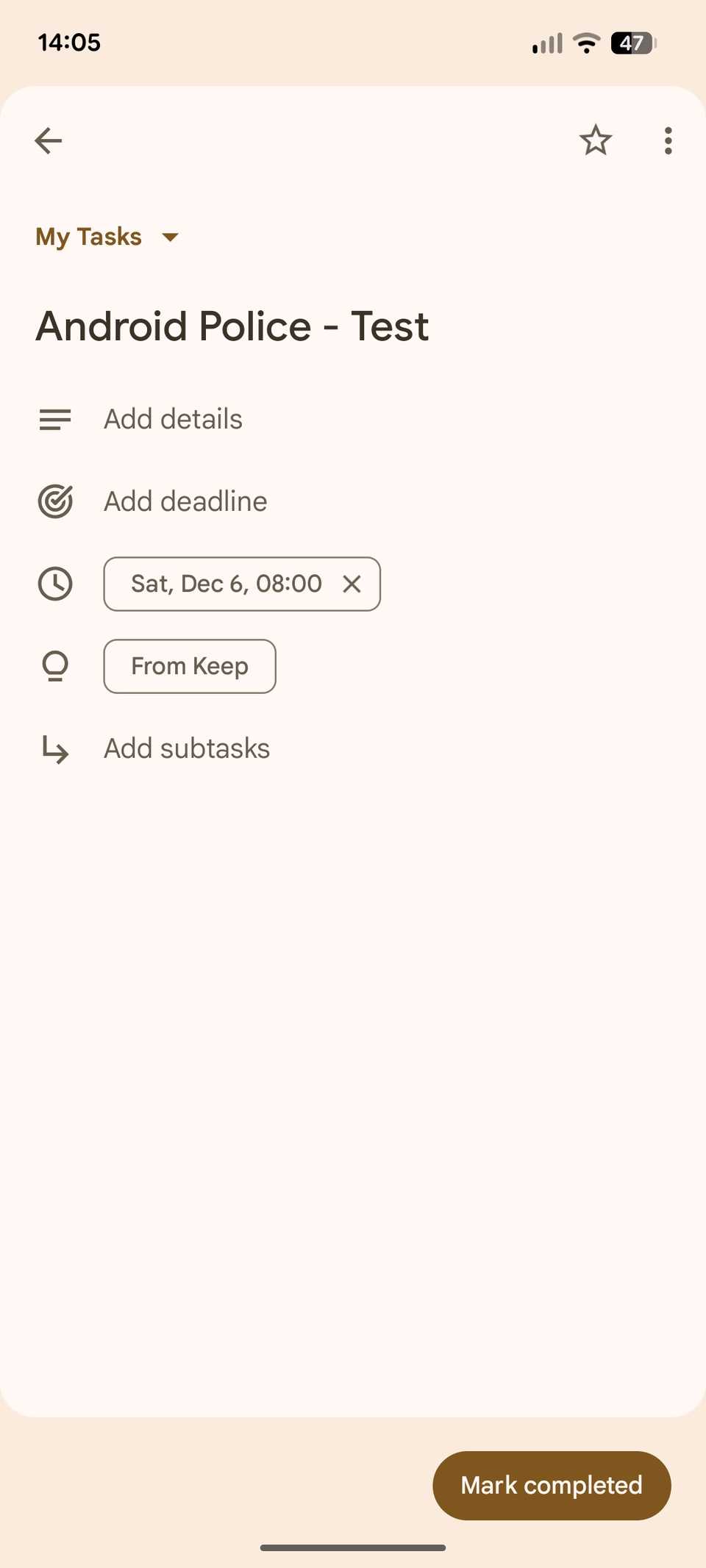
Once you've set a date/time for your reminder in Google Keep, it will instantly appear in the Tasks app. Each reminder created in this fashion will be labeled "From Keep" in the Tasks app, so you'll always know where it was created.
More than a few caveats
The reminders interface in Google Keep
A Google support page offers some additional details on this migration. Prominent among these is that Google Keep reminder notifications will stop, with Calendar and Tasks notifying you of reminders instead. Furthermore, since Tasks doesn't support location-based reminders, the location info in migrated reminders will reportedly appear in the reminder's description.
The support page also clarifies that users can only edit a reminder's name/title in the Calendar or Tasks apps. This means that editing a reminder's title in Keep notes won't reflect in the other apps. However, the ability to change the reminder's date and time or mark it as complete is available across all three apps. You can also mark a reminder as complete from the reminder notification on your phone.

 Close
Close
A Google Keep reminder in Tasks
As 9to5 found out, when trying to delete a reminder in Google Keep, you can either delete only the note or both the note and the reminder. There are no such choices if you delete the reminder from Tasks. Meanwhile, Google Keep will continue to show the Reminders page in the app's navigation drawer.
This updated reminders experience is currently available on my personal Google account, while one of my Workspace accounts doesn't have it yet. I'm seeing it in Keep Notes version 5.25.461.02.90, though it's likely the rollout is happening on the server side.
-
 Applications
We want to hear from you! Share your opinions in the thread below and remember to keep it respectful.
Be the first to post Images Attachment(s) Please respect our community guidelines. No links, inappropriate language, or spam.Your comment has not been saved
Send confirmation emailThis thread is open for discussion.
Be the first to post your thoughts.
- Terms
- Privacy
- Feedback
 19 hours ago
6 reasons the Pixel Buds 2a didn't make the cut for me
 18 hours ago
Thin phones are dead — here's what to focus on next
 2 days ago
I built the perfect note taking system using only Google and Android apps
 3 days ago
Best VPN for Netflix on Android in 2025
Trending Now The only security camera you need is now just $20
 How to delete a credit or debit card from your Amazon account
 What Google Wallet gets wrong about everyday spending