 Sumukh Rao/SlashGear
We may receive a commission on purchases made from links.
Most new smartphones have excellent cameras, high-capacity batteries, and ample storage, which makes them well-rounded in all respects. That said, you can always improve the functionality of your phone or add to its feature set by using additional accessories. There are tons of third-party accessories available for various purposes. I'm a content creator and a travel enthusiast, so I've been using lots of accessories that suit my lifestyle for several years. All of these gadgets make my life easier and save me time on a regular basis, which is why I decided to collate all of them into a list of the best iPhone accessories you can get for your loved ones this holiday season.
Along with accessories that cater to most types of consumers, this list also contains a few gadgets that appeal to specific niches. So whether you're like me and enjoy shooting a lot of photos and videos on your iPhone, or you travel often and frequently use your phone for gaming or media consumption, there's something for everyone. Along with adding extra functionality, some of the accessories on this list add quality-of-life upgrades to your iPhone that may not necessarily introduce a new feature but significantly improve your iPhone's usability. We've also tried to pick gadgets that are reasonably priced and provide excellent value for money. This way, you can get these accessories for yourself too, as well as using them as stocking stuffers for your family.
ESR anti-reflective tempered glass screen protector
 ESR
ESR
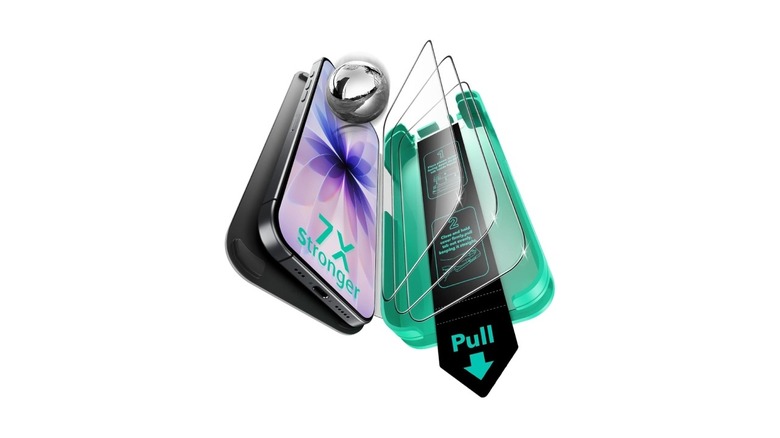
Apple surprised us with the upgrades to the base iPhone 17, managing to ship an excellent 120Hz ProMotion display, a larger battery, and higher storage on the base variant. Another upgrade that isn't as apparent on paper but makes a huge difference when using the phone is the new anti-reflective coating on the display. If you use your phone a lot outdoors in the sun, this anti-reflective coating makes the contents on the screen more legible. A big disadvantage, though, is that the anti-reflective coating only works when you're not using a screen protector. Once you apply a standard screen protector, the screen becomes reflective again. For anyone who uses a screen protector to keep scratches and cracks away, this is a big bummer.
Thankfully, the solution is fairly simple. Get the ESR anti-reflective tempered glass screen protector for your iPhone 17, and you can retain the goodness of the anti-reflective coating without compromising on safety. I've been using this screen protector for the past two months, and I can confidently say that it makes a huge difference when using your iPhone in broad daylight. Moreover, it doesn't take away from the smoothness when interacting with the display, nor does it impact the picture quality when watching content. ESR also provides an application tray in the package along with two extra screen protectors in case you mess up the installation.
Peak Design MagSafe mobile tripod
 Peak Design
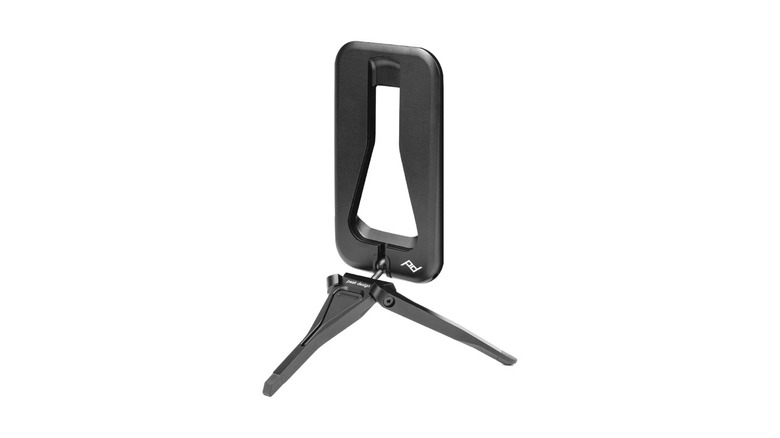
As mentioned earlier, I love clicking photos on my iPhone when traveling. While I click most pictures handheld, some shots require additional stability, which means I have to use a tripod. Most tripods are quite large and take up a substantial amount of space. If you're backpacking and want to save space for clothes and other important items, the Peak Design MagSafe mobile tripod is an excellent accessory. It's a credit card-sized foldable tripod that snaps onto the back of an iPhone via MagSafe. Once attached, all you have to do is unfold the legs and place the tripod in the required orientation.
I've been using this tripod for over two years now, and the magnets are strong enough to hold even the huge iPhone 17 Pro Max in a stable position. Granted, the tripod is tiny, so you can't really use it to record yourself when standing, like a traditional tripod. I primarily use it for astrophotography, where you need to capture shots with long exposures. Another handy use case is mounting the phone on a table for video calls and meetings. I've also tried using the Peak Design tripod on a flight to watch content, and it served its purpose well.
Sharge Disk Pro
 Sharge/Kickstarter
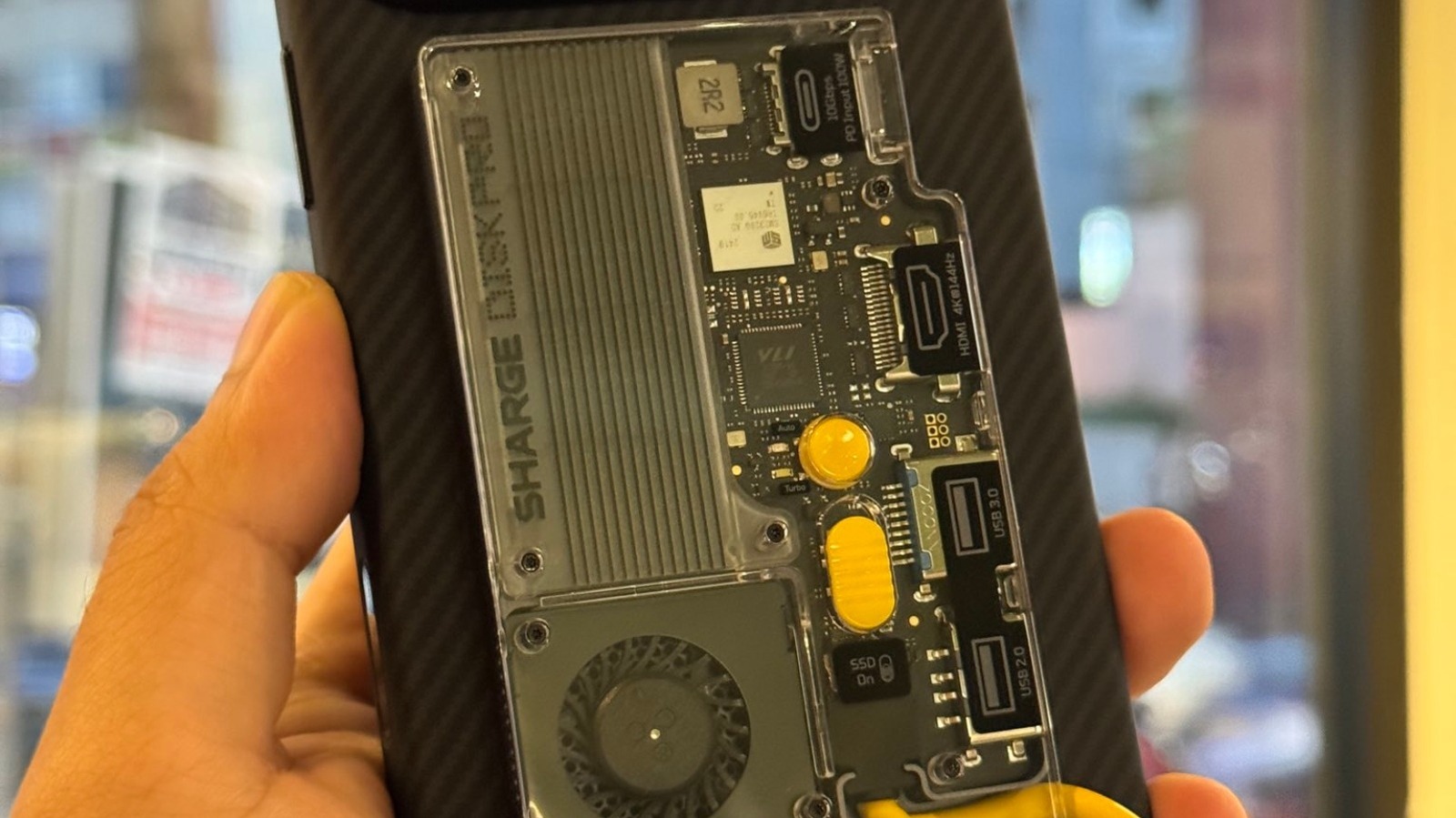
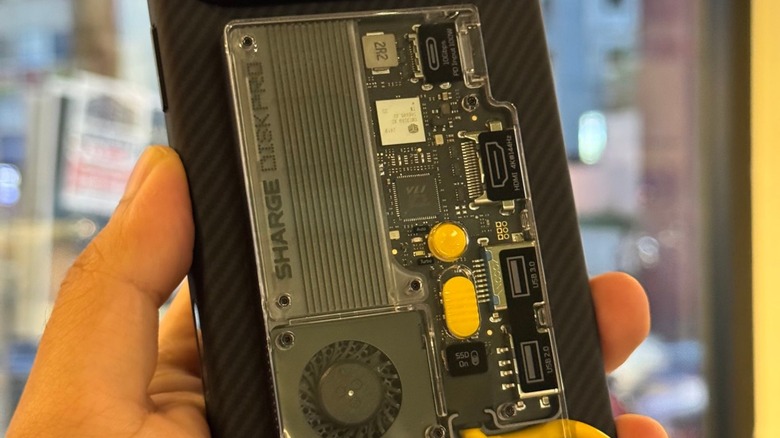
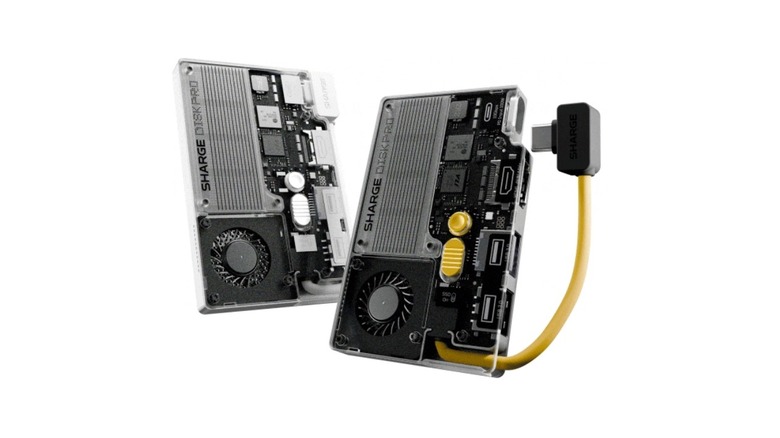
Ever since Apple allowed recording 4K footage in ProRes RAW at 120fps, I've shot a lot of my footage directly onto an external SSD. For a long time, I plugged my Samsung T9 — one of the fastest portable SSDs out there — into the iPhone and recorded straight onto the drive. The biggest disadvantage of this approach is that the drive keeps dangling on one end, which is a massive inconvenience, especially when shooting with a tripod since the drive keeps coming in contact with the phone when moving and creates jitters and unnecessary sounds. The Sharge Disk Pro solves that problem by adding MagSafe to an external drive. Not only that, but the Disk Pro also has a built-in cable to make things easier for creators.
Apart from providing fast storage up to 4TB, the Sharge Disk Pro has another trick up its sleeve — the ability to behave like a USB-C dongle. It has two USB-A ports, a USB-C port, and an HDMI port — all of which can be used when you plug the drive into a computer. To top it off, there's a built-in fan to keep the drive cool, and the design is a definite head-turner. If you're a content creator and are tired of dangling cables, the Sharge Disk Pro is a must-have in your arsenal.
inCharge 6 keychain USB-C cable
 Rolling Square
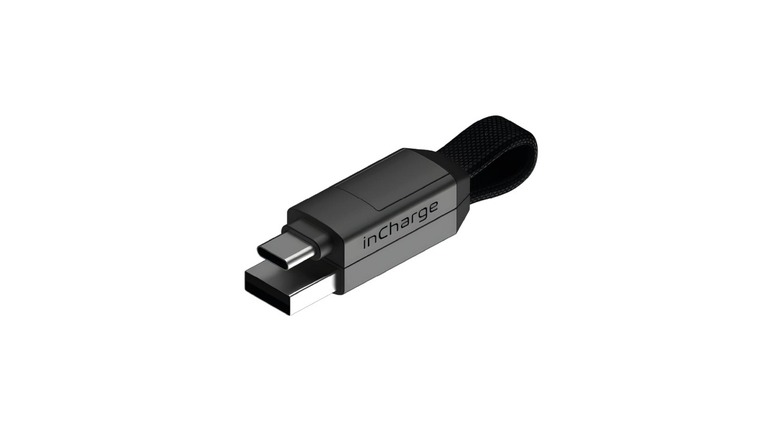
I carry a ton of gadgets in my travel backpack, right from multiple smartphones to cameras and headphones. Since all of these gadgets use batteries, they need to be charged regularly. Whether I use a wall adapter or a power bank, a cable is an absolute necessity to charge all of them. Instead of carrying multiple long cables that can easily get tangled, I prefer using the inCharge 6 keychain USB cable. Apart from the fact that it's short and super convenient to carry, there are a few other perks that make it an excellent accessory for most people.
For starters, you can use the cable as a USB-C to USB-A or a USB-C to USB-C cord, depending on the requirement. If you have an older iPhone, the inCharge cable can also connect to a Lightning port on one end. Similarly, if you have an older Android device, the Lightning end also doubles as a micro-USB connector. This makes it a truly versatile cable. When you're done using it, just fold the cable and snap the ends via its magnet, and you have a keychain. Notably, this particular version only supports charging at up to 15W. However, there are versions with faster charging capabilities that can also be used with laptops.
Baseus 160W USB-C car charger
 Baseus
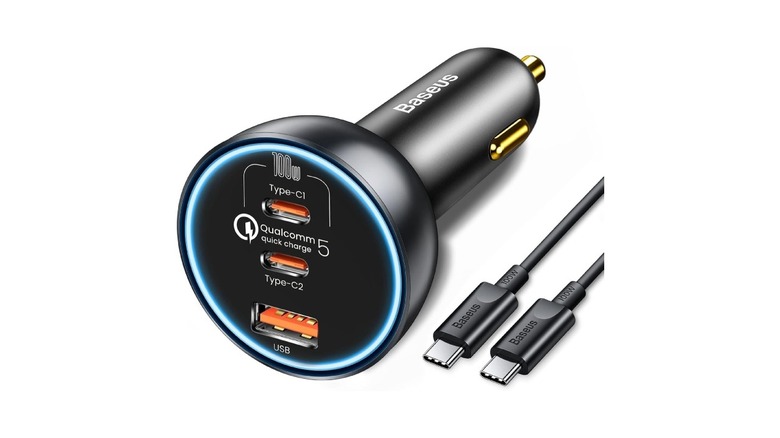
Apart from traveling by air, I also take frequent road trips with family and friends. Since I'm carrying a large number of electronic gadgets on these trips as well, I need a capable car charger to juice up my devices during the journey. The Baseus 160W USB-C car charger has served me extremely well in this regard for the past few years. The primary USB-C port outputs at 100W, which is sufficient to charge a MacBook Pro or other large laptops. The second USB-C port also supports Qualcomm Quick Charge 5, so you can also fast-charge your smartphone. Finally, there's a USB-A port to charge another smartphone or accessories like headphones or smartwatches.
If you often go on long drives, or your commute to work is long, and you need to charge your devices, the Baseus car charger is a no-brainer. It's extremely well-priced at $50, especially for what it offers. The fact that you can charge a laptop at 100W and two other devices at 30W simultaneously makes this an excellent product. If you're worried about your car's battery draining due to such a high power output, I've been using the Baseus 160W car charger for over two years now, and I've had absolutely no issues — even when used inside an electric vehicle.
Ugreen Nexode 20,000mAh power bank
 Ugreen
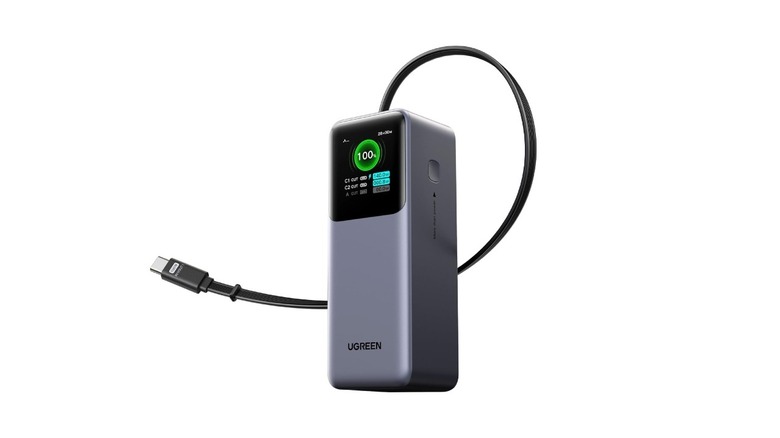
Power banks are some of my favorite accessories, primarily because they provide instant power to all my gadgets, regardless of whether I'm near a wall outlet. This is exactly why I always carry multiple power banks — all of different kinds. The most recent addition to my arsenal is the Ugreen Nexode 20,000mAh power bank with a built-in cable. It's also one of my most-used power banks due to three main reasons. For starters, the large capacity allows me to charge my phones completely multiple times. The output power can reach 165W, which is plenty for charging a laptop and a smartphone together. Finally, the built-in cable means I have to carry one cable less when traveling.
It's also rather lightweight considering the capacity, so you can carry it in your backpack with ease. There's a display that shows how much power is being drawn from each port and how much power the battery pack itself is drawing when charging. Apart from the built-in cable, there's a USB-C and a USB-A port to charge additional devices. The cable can also be used to charge the power bank itself, which is handy.
Shiftcam Snapgrip Pro
 Amazon/ShiftCam
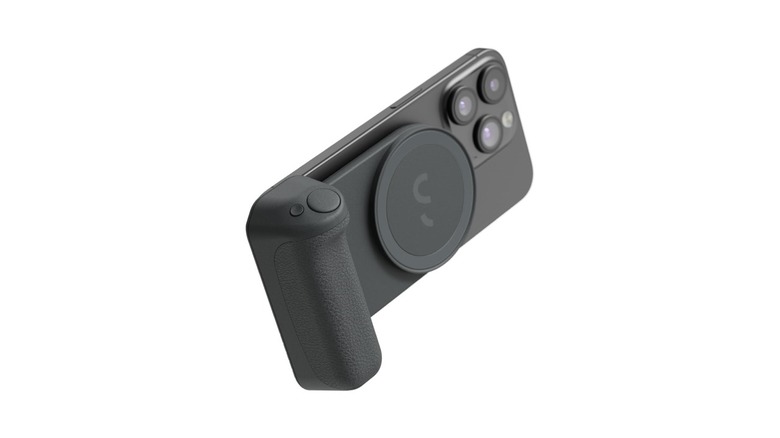
Apple added the Camera Control button with the iPhone 16 series to aid in taking pictures. It's a handy button that mimics the shutter button on a dedicated camera, but it's placed too high up on the phone, making it difficult to press in both orientations. Moreover, pressing the button can often lead to slight shakes before clicking the picture, which isn't ideal at all. An excellent accessory that solves this problem is the Shiftcam SnapGrip Pro. It's a MagSafe attachment that sticks onto the back of the phone and converts your iPhone into a pocket camera. There are two features that give it an edge over the default Camera Control: an added grip that lets you hold the phone firmly when recording, and an extra battery pack to keep your iPhone juiced up.
When clicking photos or shooting videos, the added grip provides a lot more stability than just holding the phone with your bare hands, so you'll see a lot less jitter when recording videos while moving around. If you're clicking photos at night, the grip ensures you don't end up with blurry photos. As for the battery, it's a 5,000mAh unit that can provide close to 60% charge for the iPhone 17 Pro Max — or more if you have a smaller iPhone.
Insta360 Flow 2 Plus
 Insta360
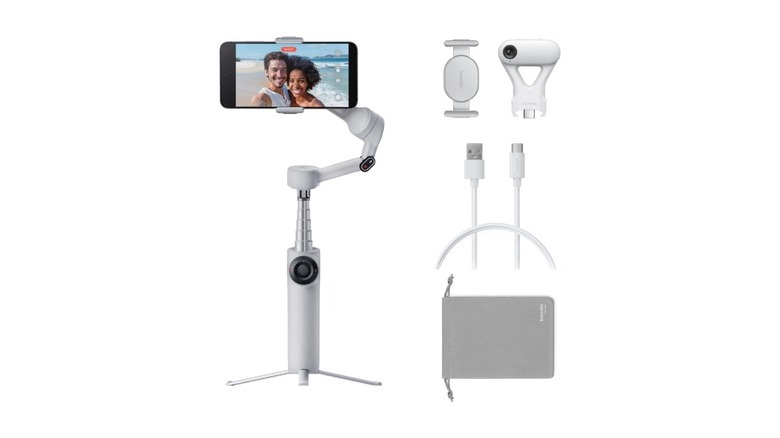
The iPhone's stabilization when shooting videos is easily among the best in the industry. However, if you move around a lot when recording or there are sudden jerks in the footage, the output can get ruined. So if you're looking to shoot professional videos for YouTube or other content-sharing platforms, I would highly recommend picking up the Insta360 Flow 2 Plus. I've been using Insta360's smartphone gimbals ever since they came out, and they're easily among the best in terms of versatility compared to the competition. Your iPhone can clip onto the gimbal via magnets for easy attachment and detachment. When you want to vlog or record yourself, you can extend the gimbal into a selfie stick, which is also convenient for clicking group pictures.
Additionally, the gimbal can also behave like a tripod, thanks to the extendable feet. Once you use it, the tripod retracts into the housing, resulting in a compact form factor. The Insta360 Flow 2 Plus can also be used with Insta360's own cameras, so if you have them or you plan on buying some in the future, it's nice to have the additional functionality. Finally, the built-in battery can also be used to charge your iPhone when recording. If you want to make your iPhone videos extra stable, along with features like subject tracking and panning, the Insta360 Flow 2 Plus is an excellent addition to your arsenal.
Backbone One mobile gaming controller
 Backbone
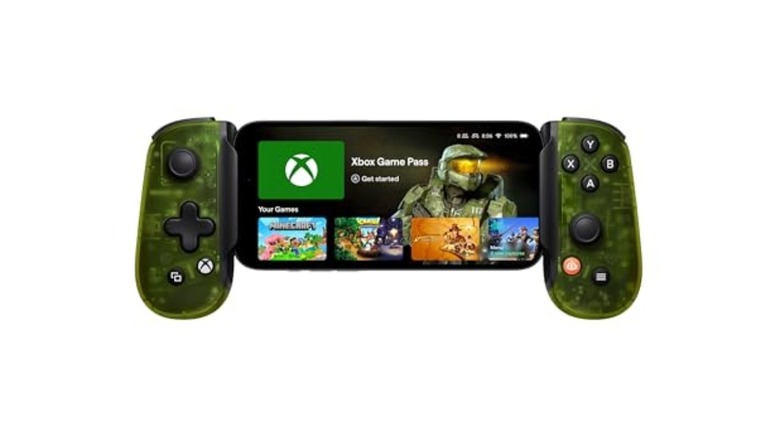
Smartphone gaming has become extremely popular in the past few years, with some AAA titles playable on the iPhone itself. Along with native games, cloud gaming has also become a viable option on the move, allowing you to enjoy your favorite games without owning a console. Regardless of which game you play the most, using on-screen controls is rather limiting, especially since smartphones already have a relatively small screen. So if you want an immersive experience when gaming, consider getting the Backbone One mobile gaming controller. It's a controller specially designed for smartphones, with a USB-C connector on one end.
Simply plug your iPhone into the controller to enjoy your gaming for long hours while not covering the screen with your fingers. The buttons on the controller are tactile and responsive, and they do a good job of mimicking the experience of playing on a dedicated controller. There's also support for 3.5mm audio passthrough via the USB-C port, which is a feature FPS gamers will certainly appreciate. The Backbone One controller is one of our favorite smartphone accessories here at SlashGear, and it doesn't leave my backpack when traveling.
Anker MagSafe wireless charging stand
 Anker
Anker
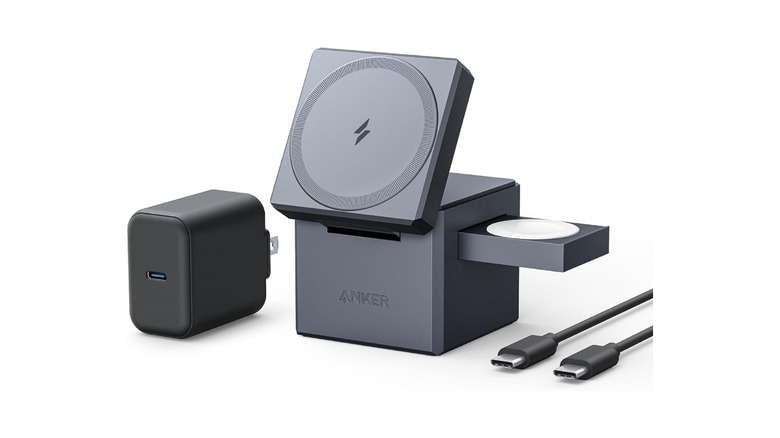
Three of my most frequently used devices every single day are my iPhone 17 Pro Max, Apple Watch Ultra 2, and AirPods Pro 2nd gen. As a result, I charge all of these gadgets every single day to make sure none of them end up with a dead battery. I used to plug all of these devices into a power brick every night before going to bed, but that resulted in a lot of cable clutter on my bedside table. I was looking for a more efficient solution when I encountered the Anker MagSafe wireless charging stand. This is a 3-in-1 charging cube that can charge an iPhone, Apple Watch, and AirPods at the same time.
While there are several such accessories, the Anker 3-in-1 cube stands out due to its portable form factor and excellent charging performance. The foldable design ensures it occupies less space on your desk while also being easy to carry when traveling. Anker includes a 30W USB-C adapter in the package, which is a nice touch. Notably, your iPhone can charge at a max speed of 15W via MagSafe. So if you're in a hurry, it's recommended to charge your iPhone using a cable.
ESR Geo MagSafe wallet
 ESR
ESR
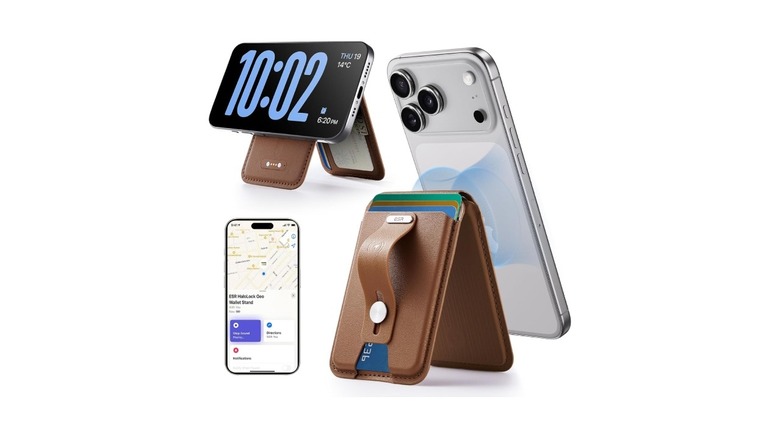
While I absolutely love MagSafe accessories, I haven't found myself using a MagSafe wallet, primarily because of how easy it is to detach and lose. While that's still a concern with most such wallets, the ESR Geo MagSafe wallet has a few benefits that convinced me to try using a MagSafe wallet with my iPhone. For starters, it can hold up to five cards, which is much more than the usual limit of two or three with most wallets. Then, there's a stand on the rear that can be used to grip the phone and can even work as a kickstand to watch content.
I mentioned how I was worried about losing my MagSafe wallet since it was easy to detach. The ESR wallet solves this by adding Find My functionality. If you end up leaving your wallet behind somewhere, you can track its location via the Find My app on your iPhone. Despite having all of these additional features, the ESR Geo MagSafe wallet is priced reasonably at $42, making it a must-have for those who don't like carrying bulky wallets.
Ugreen MagFlow 10,000mAh power bank
 Ugreen
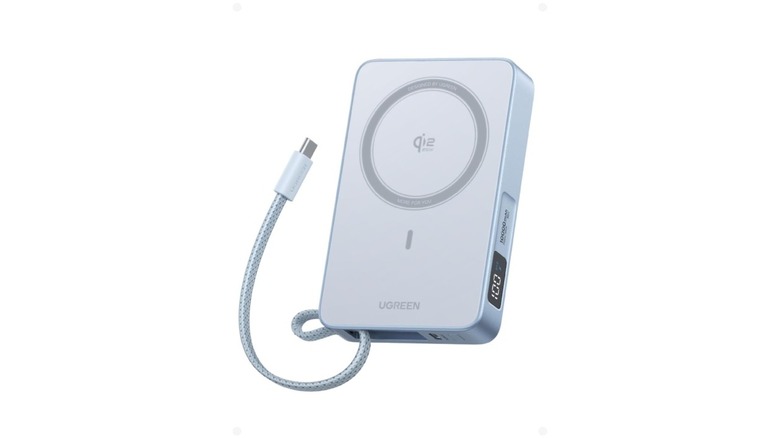
Ugreen's magnetic power banks have always provided excellent efficiency and performance, which is why I always carry one in my backpack along with the wired one. The latest version from the brand — the Ugreen MagFlow 10,000mAh power bank — resides in my backpack all the time. I primarily use it to charge my iPhone in a jiffy, especially when I need a quick charge instead of a long top-up. It quickly snaps onto my iPhone and provides 15W of power. While it's slower than a wired solution, MagSafe power banks are a lot more convenient when traveling or commuting, as you don't have to deal with dangling wires.
However, when you do want to charge with a cable, there's one built into the Ugreen MagFlow power bank. Via the cable, you can charge your devices at up to 25W, so you can use that if you want a quicker charging solution. While Ugreen also sells the same power bank in a 20,000mAh variant, I would recommend the 10,000mAh version since it offers the perfect balance of extra power and portability. There's also a built-in display indicating the battery level.
Hollyland Lark M2 wireless mic
 Hollyland
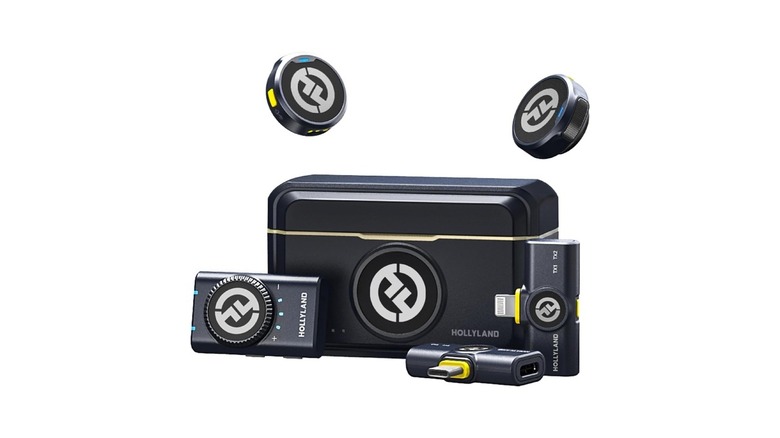
Along with a gimbal for added stabilization, an accessory that's indispensable for creators like me is a wireless mic. This is an extremely crowded space with multiple brands having products across various price points, so it can get rather confusing to pick one. I've tried several options, and the one I keep coming back to is the Hollyland Lark M2. There are a few reasons for this, with the primary one being the form factor. The mic is tiny and can be clipped onto your attire with the help of magnets, which makes it less distracting on camera.
Despite the tiny form factor, the audio captured is excellent. There's built-in noise cancellation, so even if you're recording in windy environments, you don't have to worry. Hollyland also provides connectors for both USB-C and Lightning ports, so you can use the mic with both newer and older iPhones. Of course, you can also use it with an Android device. The brand promises 40 hours of battery life, and the mic can be charged inside a case similar to a pair of AirPods. The Lark M2 provides excellent value, punching well above its weight.